Internal control,
proven.
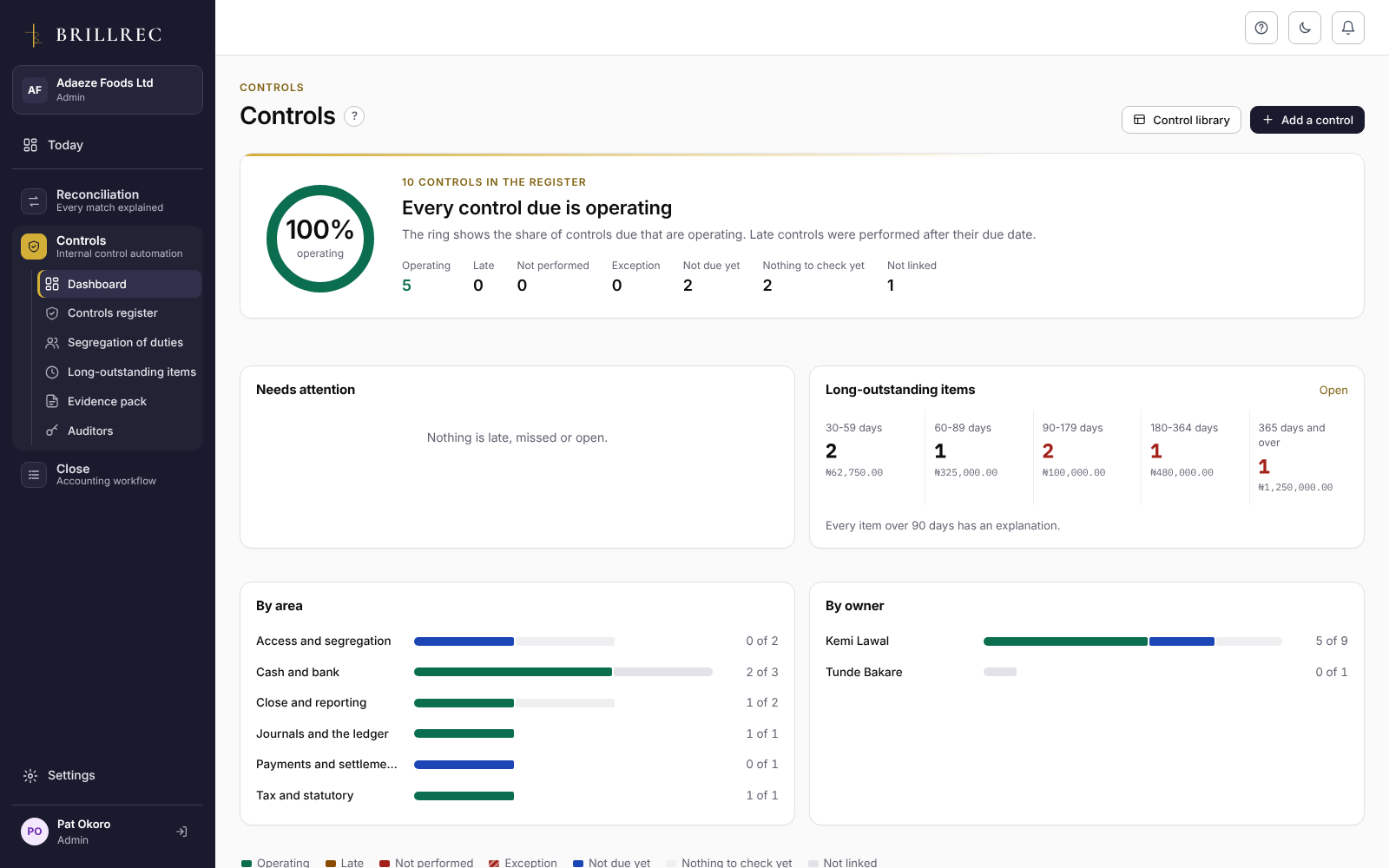
Keep a register of the controls your organisation relies on. Brillrec shows each one as operating, late or not performed from the reconciliations, journals and close tasks that carry it out, so the evidence is gathered while the work is done.
Start from a Nigerian
control library.
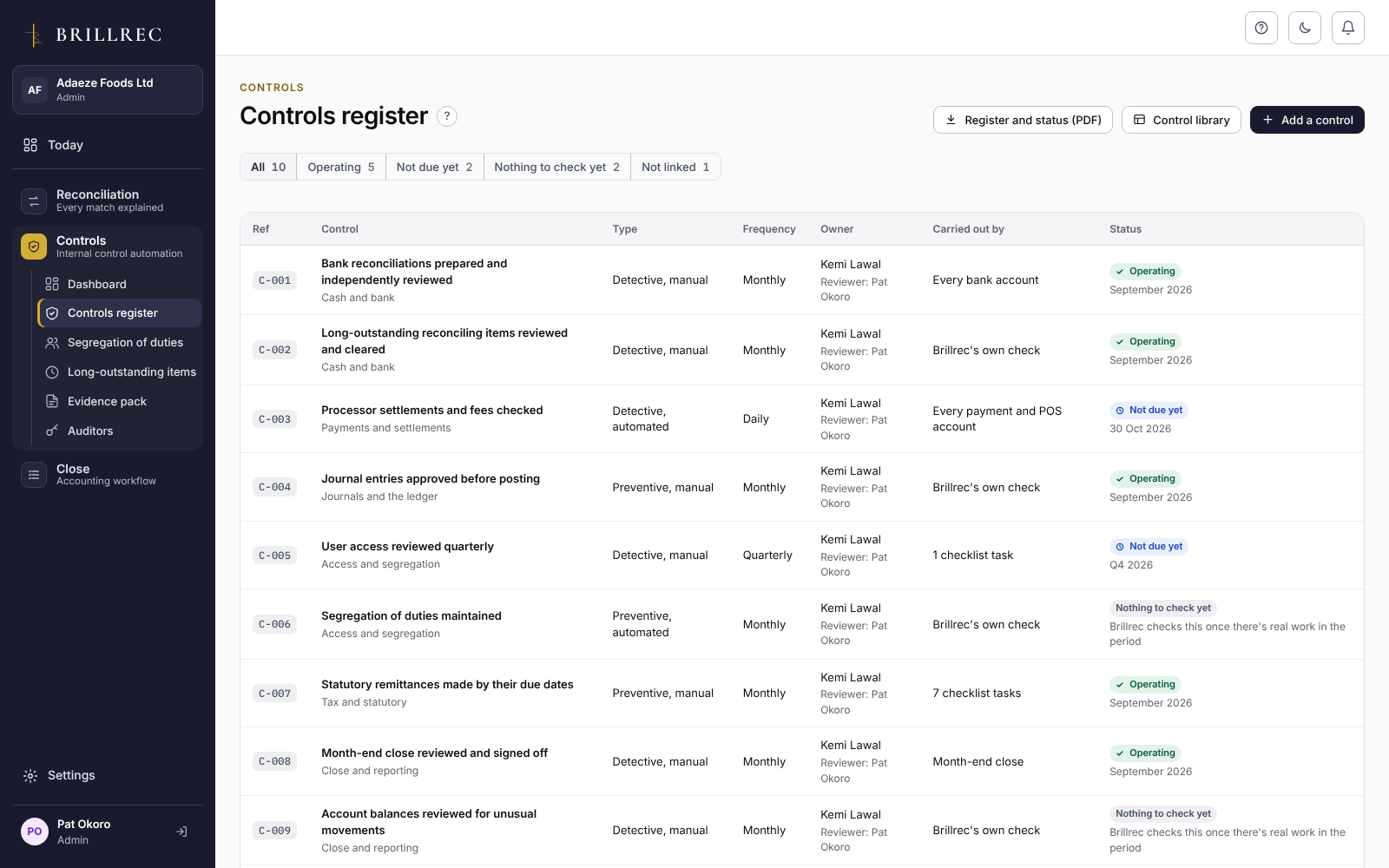
Add the controls that apply to you from a library written for Nigerian finance teams, then edit them to fit. Each control has an owner, a reviewer, a frequency and the evidence it needs.
- Cash and bank
- Payments and settlements
- Journals and the ledger
- Access and segregation
- Tax and statutory
- Revenue and e-invoicing
- Close and reporting
A control is proven
by the work behind it.
You don’t tick a control as done. Link it to every bank account, every POS and payment account, every wallet account or a whole close checklist, and its status comes from that work. New accounts are covered automatically.
- OperatingDone on time, by two different people, nothing left open.
- LateDone, but after its due date.
- Not performedDue and not done.
- ExceptionDone with an issue still open.
Segregation of duties,
access and old items.
- Segregation of duties. Brillrec finds where one person prepared and signed off a reconciliation, prepared and reviewed a close task, or prepared and approved a journal, from its own records.
- User access review. Each quarter, a manager or admin confirms who keeps access and with which role. Each decision is recorded.
- Long-outstanding items. Every open reconciling item over 30 days, oldest first. Items past your limit (60, 90, 120 or 180 days) need an explanation and an action.
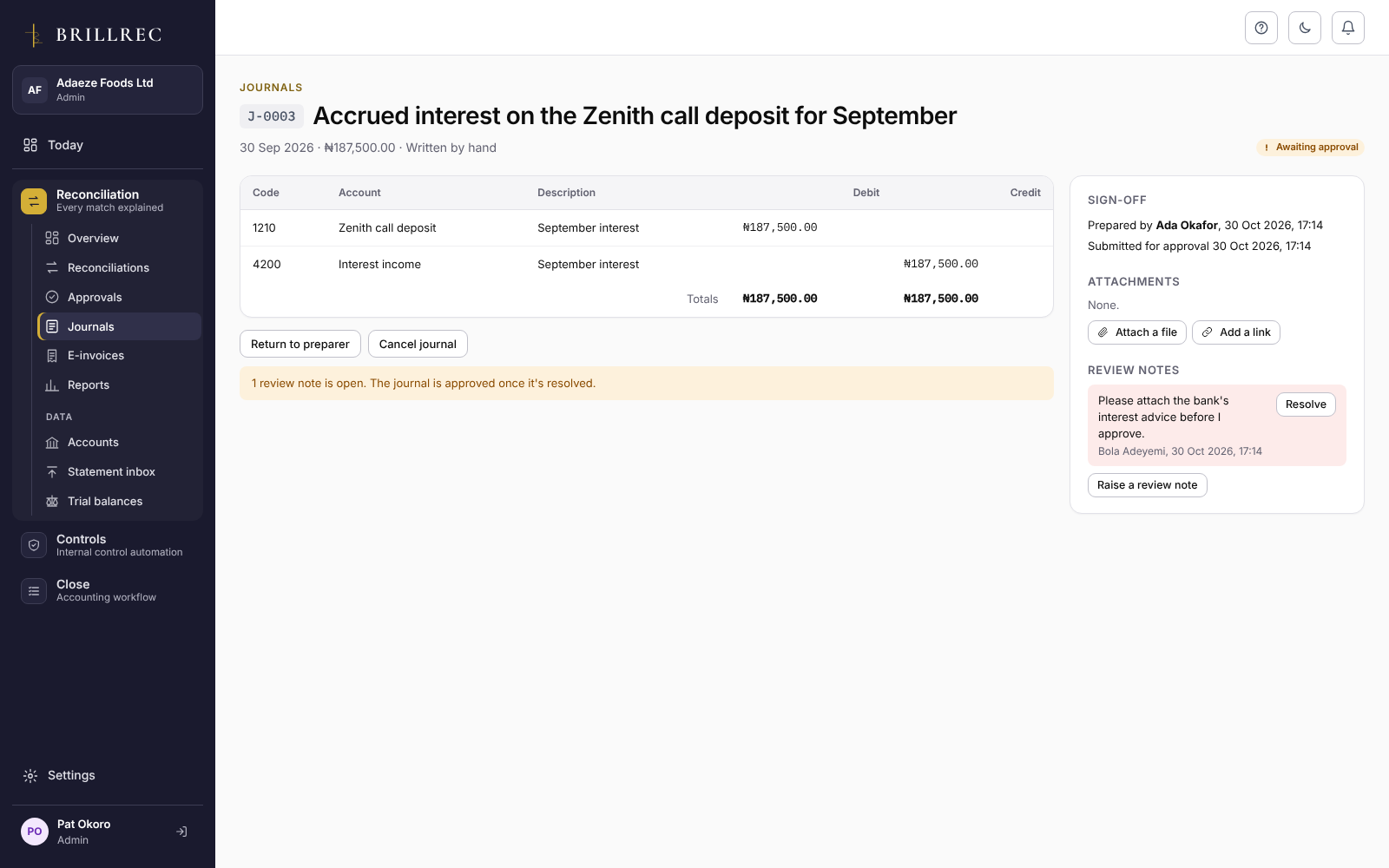
- Journals approved before posting. Every journal is prepared by one person and approved by another, within their limit.
Evidence your
auditor accepts.
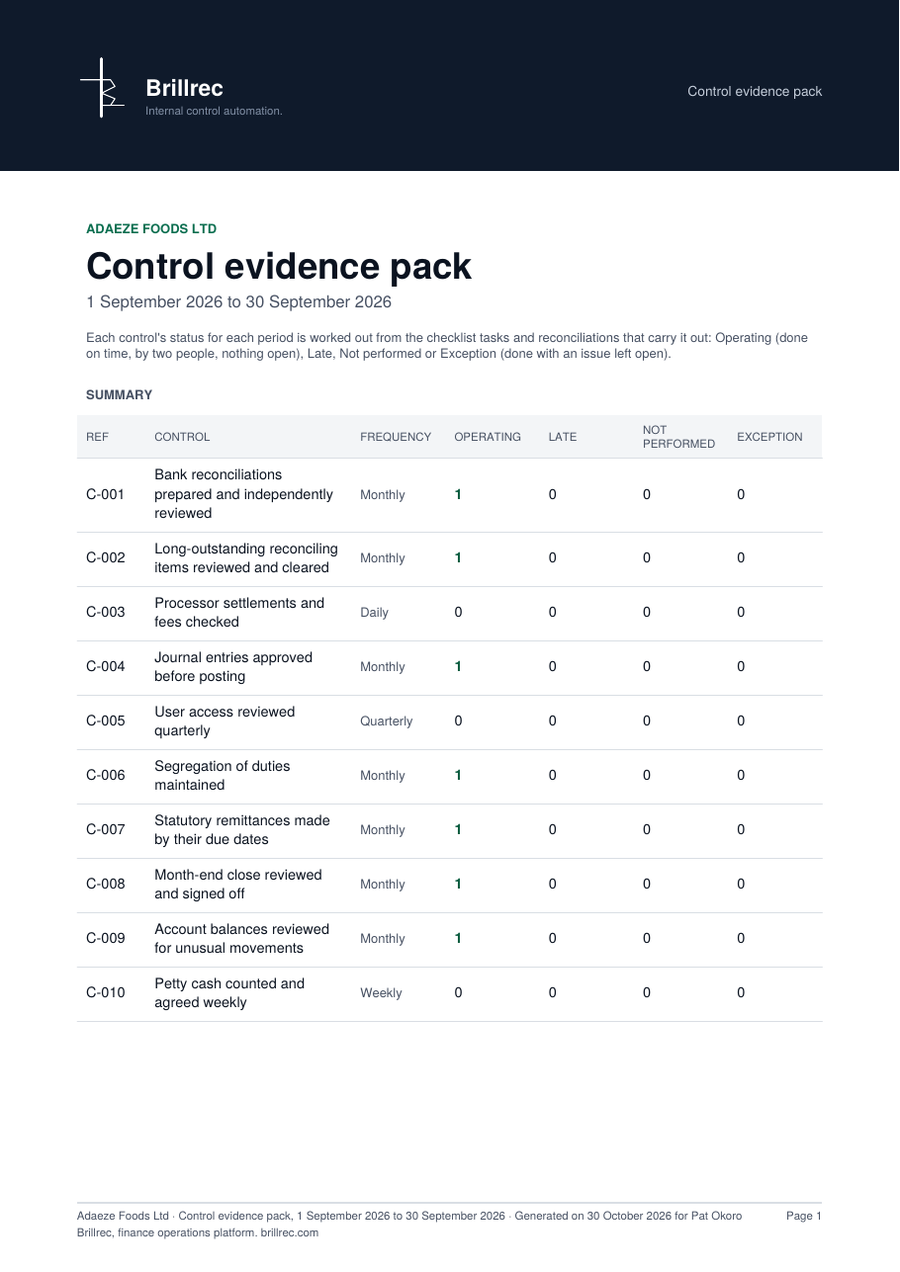
Choose a period and download the control evidence pack: a summary of every control’s status, then a section for each control with its owner, reviewer, what it is linked to and each time it was performed, by whom and when. The zip adds the evidence files attached to each task.
Room for your auditors,
inside and out.
- Internal auditor. A role that manages the controls register and the evidence pack and reads Reconciliation and Close, but never prepares, approves or signs off anything.
- Guest auditors. External auditors get read-only access to the work you choose, for as long as you choose. Everything they open and download is in the audit log.
The evidence comes from
your reconciliations and close.
Controls works because Reconciliation and Close do the work: a signed-off reconciliation makes the bank control operate, and a completed close task does the same for the close.
Your books, under control.
Every day.
Try Controls on your own reconciliations and close. 14 days free, no card needed.