E-invoices agreed
to your books.
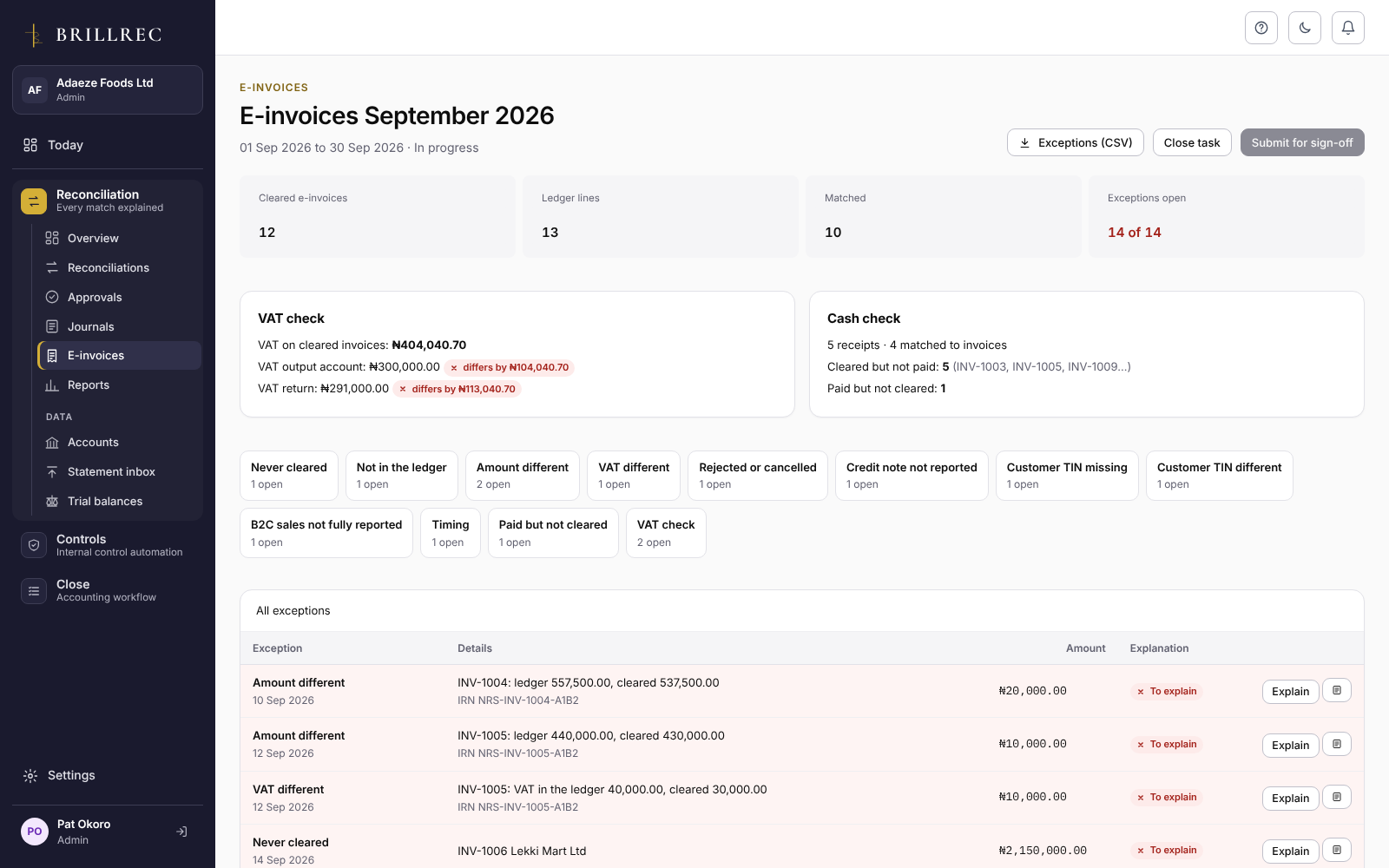
Match the e-invoices cleared on the national e-invoicing system to your ledger’s sales invoices, your VAT account and VAT return, and the money received. Every exception is named, explained and signed off.
Brillrec reconciles e-invoices. It does not submit them to the NRS: your access point provider does that.
Your provider’s export,
your ledger, your bank.
- Cleared e-invoices: any access point provider’s CSV or Excel export, or UBL XML files, singly or in a zip. Columns are found by their headings and remembered.
- The ledger’s sales invoices and credit notes.
- Optionally, bank receipts, to see what was paid but not cleared, or cleared but not paid.
- Optionally, the VAT output account and the VAT return figure, for the VAT check.
Know exactly what
doesn’t agree, and why.
- Never cleared
- Not in the ledger
- Amount different
- VAT different
- Rejected or cancelled but still in the ledger
- Credit note not reported
- Customer TIN missing or different
- B2C sales not fully reported
- Timing
- Paid but not cleared
- Cleared but not paid
Explain exceptions one by one, or all of one kind together. Start a journal from any exception with an amount.
Agreed before
the VAT return.
- A monthly E-invoicing checklist in Close: export, reconcile, resolve, and agree VAT before the 21st.
- The control “E-invoices cleared and agreed to the ledger” operates when the month’s reconciliation is signed off.
- Prepared, submitted and signed off by someone else, like every reconciliation.
When it applies
to your business.
The NRS is bringing e-invoicing in by taxpayer size. As published, medium taxpayers (turnover of ₦1 billion to ₦5 billion) went live on 1 July 2026, with compliance enforcement from January to March 2027; emerging taxpayers follow a year later. Check the current timetable with the NRS or your tax adviser.
Part of Reconciliation,
proven in Controls.
E-invoice reconciliation sits in Reconciliation, its monthly checklist in Close and its control in Controls.
E-invoices agreed
to your books.
Try it on a month of your own e-invoices. 14 days free, no card needed.