The financial position
Statements and schedules.
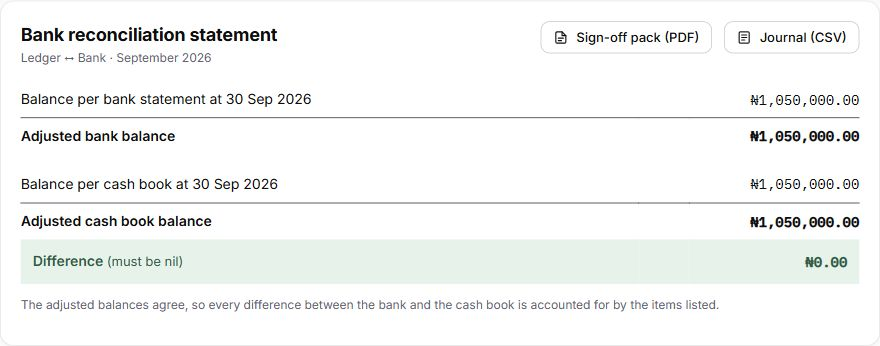
Review adjusted bank balances, settlement records and investment comparisons. Client-money statements show the requirement, resources held and surplus or shortfall.
Explore client money ↗Bank, POS and payments, investments including treasury bills, client money and e-invoices, matched against the ledger every day. Every difference is explained, and journals are approved before they are posted.
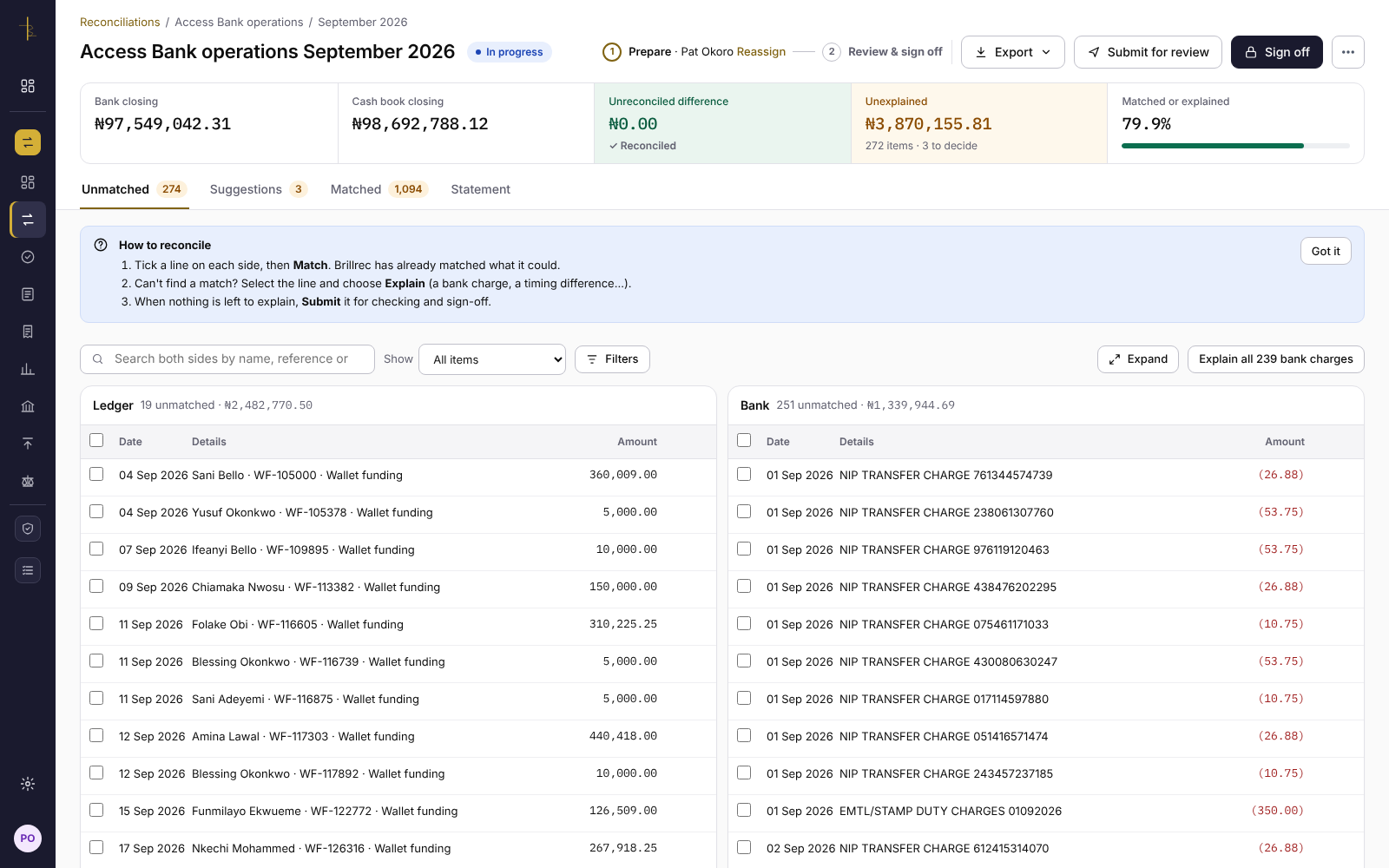
Match corresponding entries, group split payments and settlements, and keep amount differences visible. Explore the records and review history.
Compare references, amounts, dates and names. Group matching handles split payments and settlements; reversals can be identified within each side.
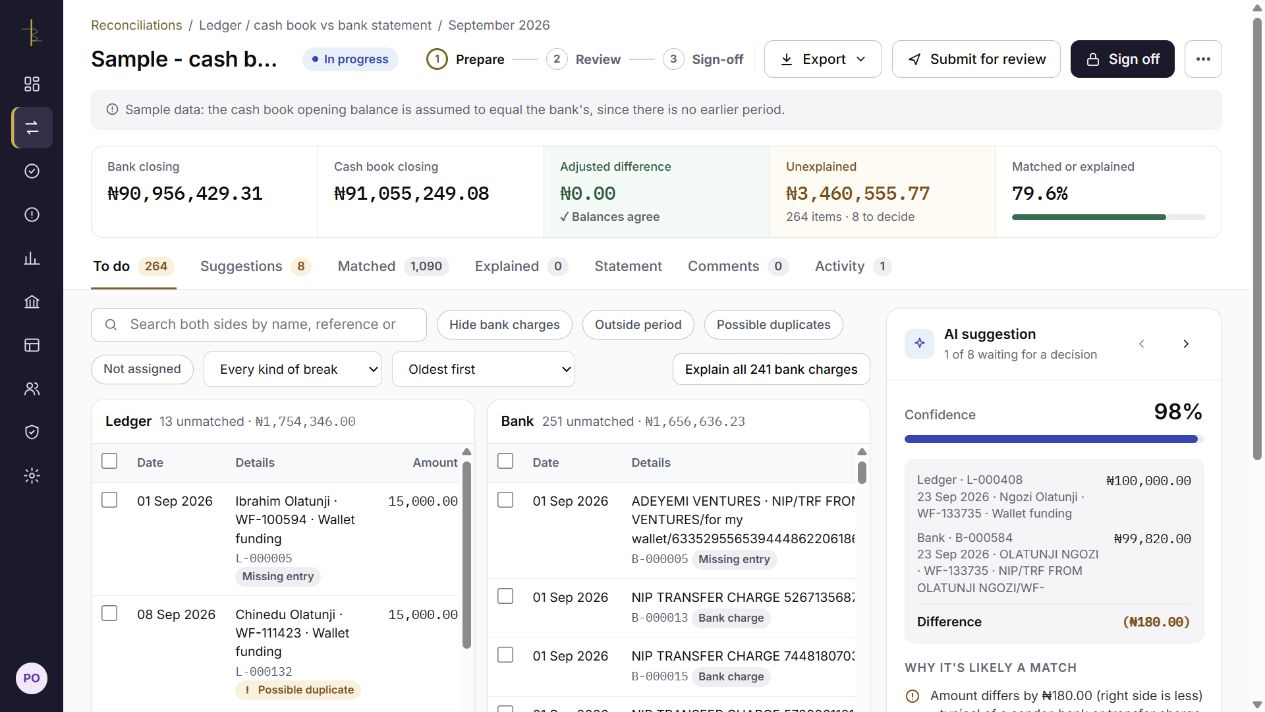
Review candidate records, confidence and reasons before confirming or rejecting. Matching does not remove an unexplained amount difference.
Bring in the records in any layout, let Brillrec match what it can and show why, then review the statement before anyone signs off.
Not ready for a trial? Get the year-end bank reconciliation checklist.
Build on decisions your team has reviewed: names matched by hand can be used again, past decisions put the likeliest suggestions first, and recurring differences can become rules you approve.
When someone matches a customer name to a bank narration by hand, Brillrec can suggest using that link again; an administrator approves it first.
Use CSV, Excel and PDF statement imports, or configured accounting, bank, SFTP and API sources. Review the interpretation and save layouts for repeat imports. optional assistance can suggest the columns in an unfamiliar file, and connected sources can be reloaded to pick up late or backdated entries.
Explore source connectionsForward bank statements, and fund managers’ or custodians’ valuation statements, to your organisation’s own Brillrec address. Each is read, checked and filed to the right account and period, ready when that reconciliation starts. Bank and investment statements are kept on separate tabs.
How the Statement inbox worksEach upload shows the columns it needs, with a template to download, and after upload a checklist of what was found. A file missing a required column is caught before the reconciliation starts, with the column named.
What each file needsAccount policies define confidence, amount limits and allowable differences for automatic matching. Your settings decide whether assisted suggestions are eligible. Remaining differences still require an explanation.
Configured rules can handle recurring explanations. Each bank, POS and investment account is reconciled daily, weekly, monthly or quarterly, and the Overview shows what is due now. Daily checks are available for accounts with connected accounting and bank feeds. Open items carry into the latest period and stay in step with earlier periods as work progresses.
Reports show how items were matched: automatically by Brillrec, automatically by the AI, AI suggestions a person confirmed, and matches made by hand, with what is still open.
Review source balances, outstanding items and the explanations behind adjustments. Prepare commentary and bring the supporting schedules together for the person reviewing the close.
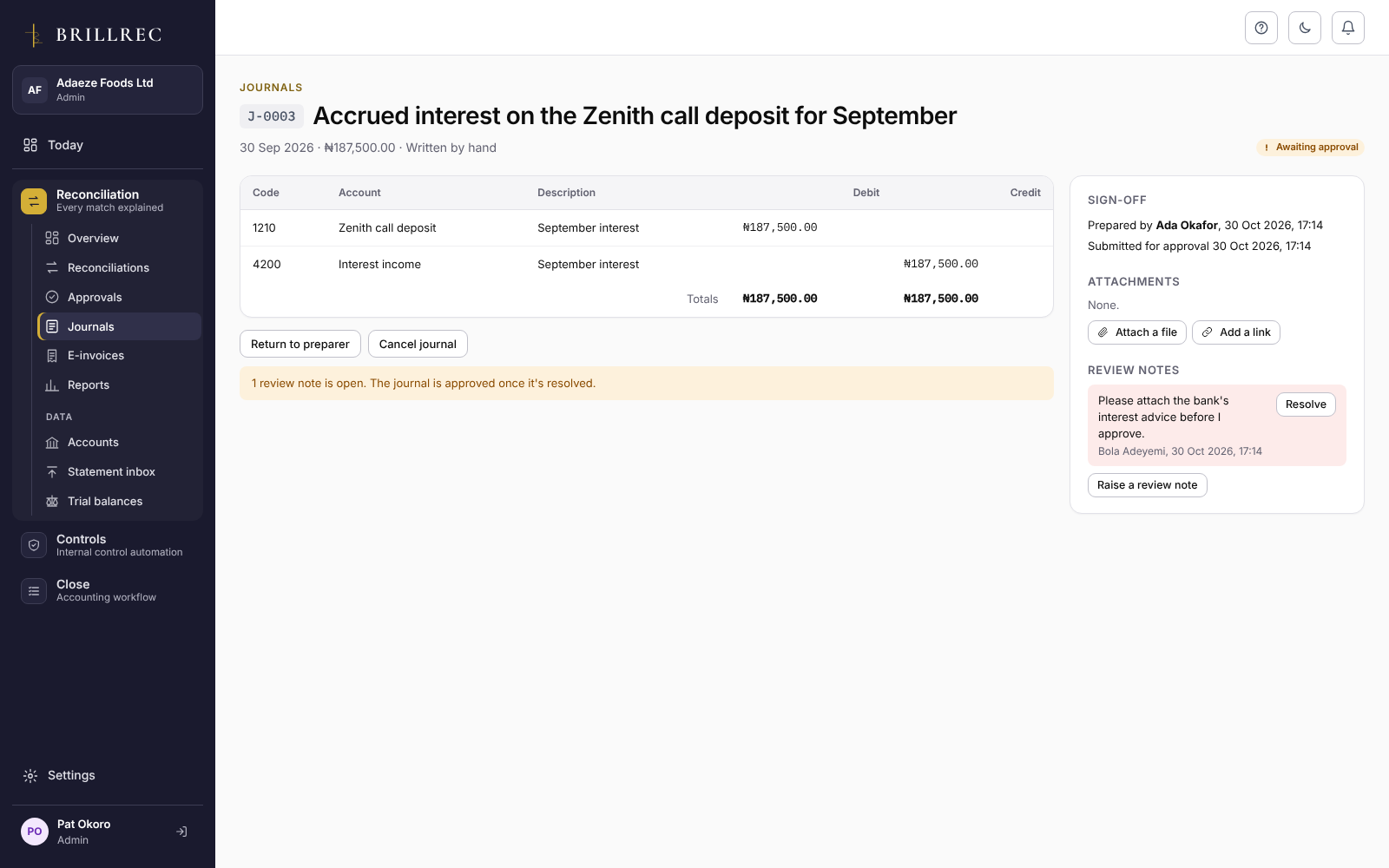
View the preparer and approver history ↗
Complete required approvals and review the statement before signing off. Outstanding items remain visible; whether they may remain at sign-off depends on your organisation’s policy and any required explanation.
Evaluate separate preparation, approval and reopening responsibilities for your team’s operating setup.
A bank charge absent from the cashbook remains an amount difference. Open-item assistance can identify possible counterparts or charge patterns, but your team checks the evidence, records the explanation and decides the appropriate treatment.
Where your organisation switches it on, Brillrec can suggest pairings with a reason, suggest the columns in an unfamiliar file, summarise the checks on an open item and draft close commentary. Suggestions are checked against your records, a person reviews every draft, and your settings decide what, if anything, is matched automatically. Open-item checks also work without it.
Inspect the financial position and the records supporting it: bank statements, settlement comparisons, investment schedules and client-money statements.
Review adjusted bank balances, settlement records and investment comparisons. Client-money statements show the requirement, resources held and surplus or shortfall.
Explore client money ↗Bring statements, supporting schedules and saved commentary into a PDF pack. Keep outstanding items and the decisions behind the close visible.
Use Excel working papers for reconciliation detail and balanced journal CSV exports with configured ledger codes. Export client-money statements as PDF or CSV.
Prepare your evaluation ↗Each signed-off reconciliation completes its Close task and makes its control operate, with the evidence kept.
Try it on a real month of your own records. 14 days free, no card needed.